
The first shot of a story looks great. In the second the hero’s jacket has different pockets, in the third the face is a cousin of the face, and by the fourth the moped is another make. Video models do not remember anything between generations, and within a long generation they drift. The working fix is not a longer description. It is a picture the model can copy from: a sheet.
This note follows the method SYNTX.AI teaches in its free Academy — four Seedance lessons and a seven-part course that takes one animated short from idea to final polish — with the prices its interface showed. Where our own runs add something, it is marked as ours.
What a sheet is
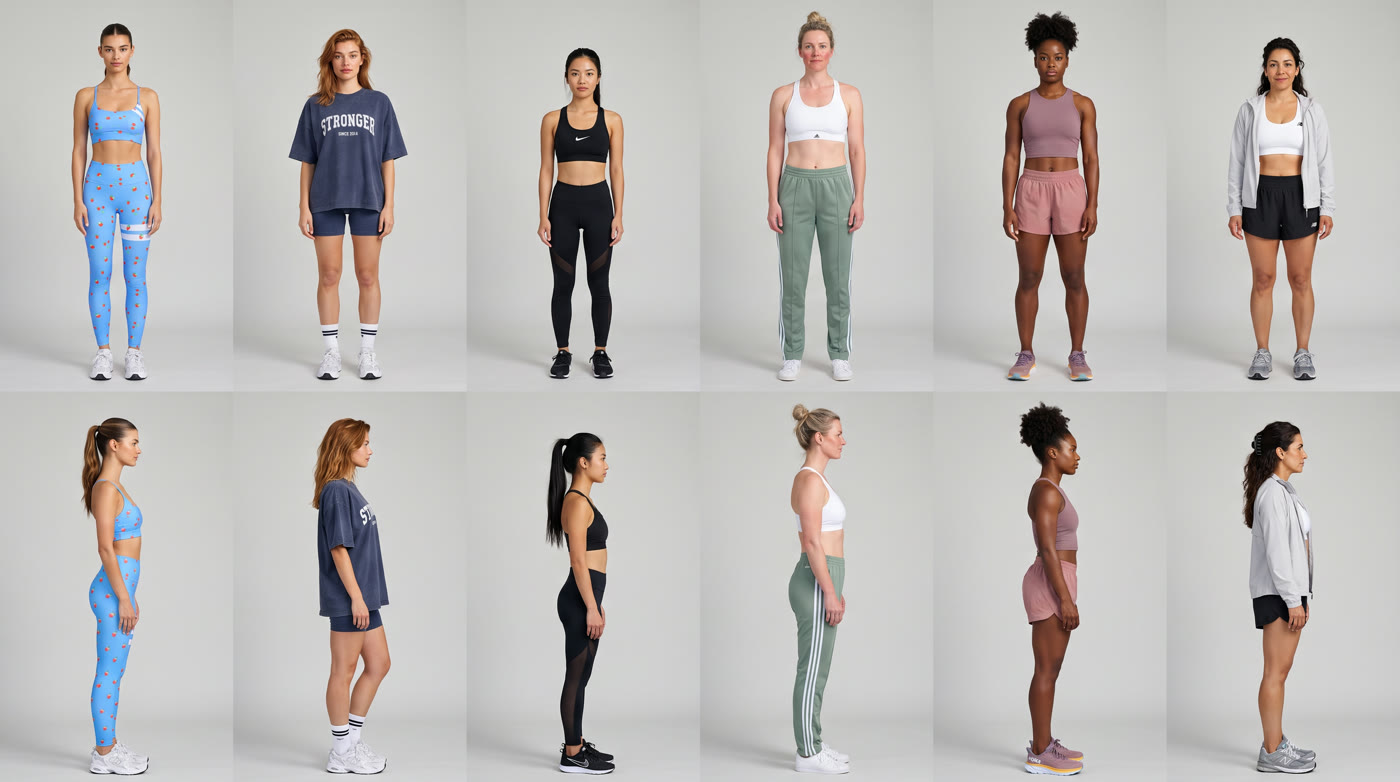
A sheet is one image that shows the same element from several angles, usually on a plain white background: front, three-quarter, side, back. The model sees every side of the thing it must keep, so it does not have to guess the back of a jacket when the character turns round.
Make one for every element that appears more than once: the character, but also the vehicle, the prop with a logo, the location. In the course’s fox-postman story that was four sheets — the fox, his moped, a postal van and the market on a hill. A sci-fi lesson used five, including a planet before and after its transformation and the screen of a watch.
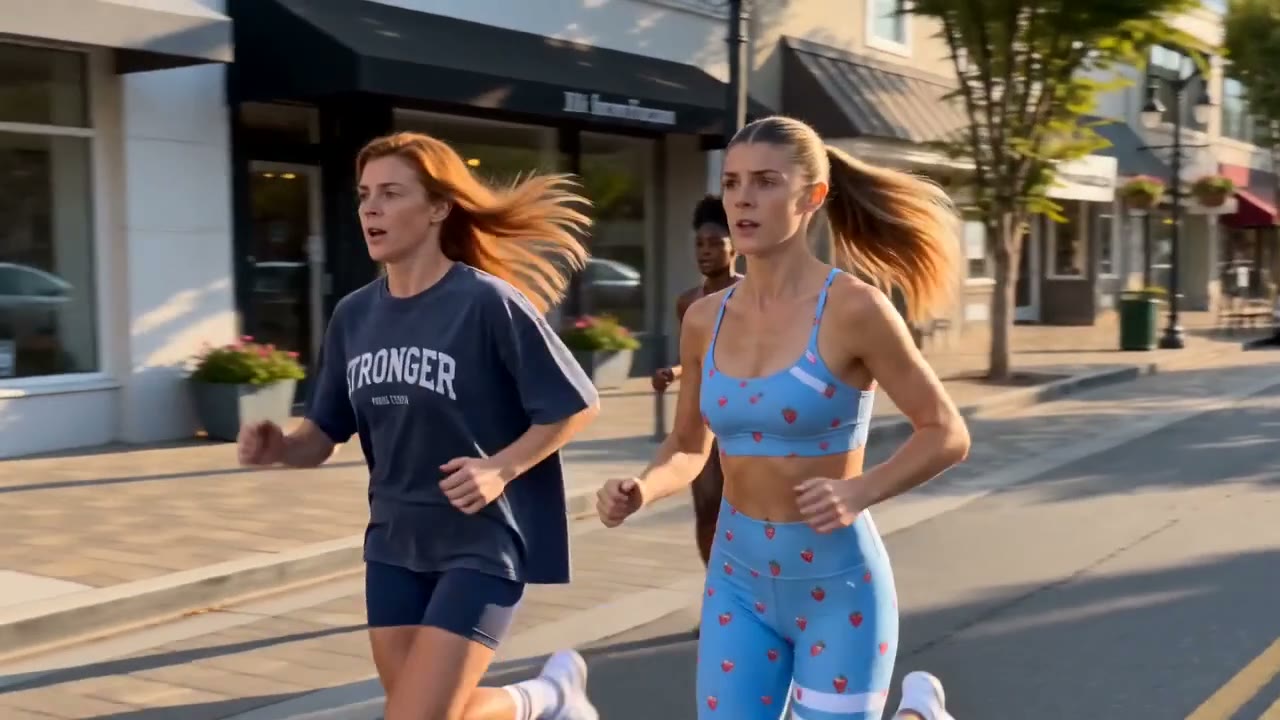
Ours, from an activewear ad: six runners, front row and side profile, each in her own outfit on a plain grey backdrop with flat light. The sheet carries faces and wardrobe only; the light and the street come from the shot’s own starting frame.
How the sheets get made
- Have a language model write the sheet prompt. Send Claude or ChatGPT a short instruction on how a sheet prompt is structured, then describe each element. State the style first and describe in detail only what matters to the story — the course spent its words on the fox’s postman uniform. The presenters preferred Claude for following requirements precisely.
- Try the same prompt in several image models. In the course, Nano Banana’s fox came out plain and basic, GPT Image’s was more realistic but off-style, and Seedream’s sat right between anime and 3D. The rest of the sheets were made in Seedream.
- Keep one style across all sheets. Either tell the language model to reuse exactly the previous style, or attach an earlier sheet as a reference.
- Fix a sheet by showing it, not by rewriting it. When the location sheet grew a van that should not be there, re-uploading the image and asking in plain words to remove it worked straight away.
- Test at medium or low image settings while the prompt is still moving, and switch to the final settings once it is right.
For a real person the input is your own photos. In the “video featuring yourself” lesson, full-body photos from several angles went into Nano Banana to make a character map, and a second collage did the same for the outfit and accessories.
Getting sheets into the video model
In Seedance each uploaded file gets a tag — image1, image2, video1 — and the tag has to be inserted by hand where that element is described, at least once at the very start of the prompt. If a small thumbnail appears next to each description, the binding worked. Attach the files in the order the prompt names them.
Two limits shape the plan. Seedance 2.0 takes up to 6 images, 3 videos and 2 audio files, so the number of recurring elements has to be decided before production starts. Seedance 2.5 raised that to 50 references and 30 seconds.
More references is not more control
The course’s clearest practical finding: the more elements you attach, the more the model spreads its attention and the worse it holds the logic of the action. For the storyboard-driven version only two images went in — the storyboard and the fox’s sheet. The sheet is not optional even with a storyboard, because the model cannot pull a clean face out of the storyboard’s small frames.
With Seedance 2.5 and twelve references (three sheets, seven location frames and two voice lines), the presenter cropped each multi-angle sheet down to its main view. Not mandatory, he says, but with that many files it helps the model think clearly and cuts hallucinations.
Storyboard or locations
The course made the short twice. Version one: a storyboard grid of the key moments, generated in an image model from the sheets, then Seedance 2.0 brought it to life. It worked once the storyboard was right — and every flaw in it came through. A fox too blurred in one frame became a double of the hero; a parcel drawn mid-air started to levitate. Fix every bad frame in an image editor (“change only frames 2 and 4, keep the style and every other frame”) before spending a video generation.
Version two dropped the storyboard for Seedance 2.5: one empty frame per place of action, with no characters or objects in it, made in the same style from the location sheet, plus the element sheets. The model worked out the chain of actions itself. The style came through more precisely and the action had fewer problems from the first attempts.
What it costs there
| Step | Model and settings | Tokens | About |
|---|---|---|---|
| One sheet or storyboard image | Nano Banana 2, 2K | 3 | €0.08 |
| One sheet or storyboard image | GPT Image, 2K, medium detail | 3.2 | €0.08 |
| A voice line for the audio reference | ElevenLabs v3 | 0.1–1.5 | under €0.04 |
| Test take | Seedance 2.0 Pro, 720p, 15 s | 136.1 | €3.40 |
| Final take | Seedance 2.0 Pro, 1080p, 15 s | 336.8 | €8.42 |
| Long take | Seedance 2.5 Omni Reference, 1080p, 30 s | 1,029.6 | €25.74 |
The arithmetic is the argument for sheets. A sheet costs a few cents; a 1080p Seedance take that drifts costs several euros. It is also the argument for testing at 720p: the course lowers the resolution for test takes but keeps the Pro mode, because a result that fails in the weaker mode can be fine in Pro, so a Mini test tells you little.
Evidence
- Date
- Lessons published 19 August to 2 October 2026
- Basis
- Vendor: SYNTX.AI Academy lessons and course videos, and the token price on their Send button
- Measured
- Nothing by us, except the note on naming skin features below
- Caveat
- One production by the vendor’s presenter; per-take prices are that platform’s resale prices
Even with good sheets, splice
A perfect complex take on the first try is rare, and the same request may work on the first run or the tenth. Because the sheets keep every element the same from one take to the next, the course keeps all of them — failures included — and cuts the good seconds together in an editor. The presenter calls it the best way to make long, complex videos in Seedance.
From our own runs
Let the sheet carry the identity and keep skin features out of the words. In one of our restyles of a real person, naming her freckles in the prompt turned them into dark blotches across the face; the rerun without the word came back clean. Check every face at full size against the sheet before keeping a take.
Sources
- SYNTX.AI Academy: “How to create a video featuring yourself”, “How to create a cinematic scene from your own elements”, “How to create a narrative video using a storyboard”, and lessons 2–6 of “How to Create an Animated Film”
Consistency is a workflow
Sheets, tags and test takes are the dull part that decides whether a story holds. easyai.video keeps them in one place from the first sheet to the export.
Join the waitlist ↗