
The take is almost right. The camera move is good, the timing is good, the person is good, and one thing is wrong: a truck where you wanted something else, a basket of fruit that should not be there, the wrong jacket. Regenerating the whole shot to fix it means losing everything that worked. What you want is an edit that touches one object and leaves the rest of the clip alone.
Six tools are built for that. Three have a lesson each in SYNTX.AI’s free Academy, with worked examples and the price its interface showed. Three more — Higgsfield Genjutsu, Runway Aleph 2.0 and Kling O1 Edit — are described from their vendors’ pages, and one of them we have used on a real job, with the frames below. Everything else here we have not run ourselves.
Three tools from the SYNTX lessons
| Seedance 2.5 Editor | Beeble SwitchX | Veo Omni Flash | |
|---|---|---|---|
| How you point at the object | Rectangle, arrow, brush or point on one frame | A mask over the first frame | Words, plus reference tags |
| How you show the new look | Prompt, optional reference image | The first frame, already edited in an image model | Prompt, optional reference images |
| What it keeps | Camera, light and action | Everything outside the mask, as the original pixels | Motion and composition, redrawn |
| Best at | Replace, remove or add one object | Relighting, background swaps, clothing | Cheap swaps and whole-clip restyles |
| Limit | Not stated in the lesson | 240 frames, 10 s at 24 fps | Up to 7 images, or 1 video and up to 5 images |
| Price shown | 132.7 tokens, about €3.30 | 126–144 tokens, about €3.15–3.60 | 14 tokens, about €0.35 |
| Typical failure | — | A tight mask leaves bits of the old object | Defects such as remnants of a removed object |
Seedance 2.5 Editor: mark it, name it, keep the rest
The lesson clip is a car racing through a busy market, edited three ways. To replace two dump trucks with walking elephants, the presenter pointed an arrow at each truck on a frame where both were visible, confirmed the selection, and wrote next to the tag that appears in the prompt: replace the two trucks with two elephants in the same place, and keep the other shots unchanged. The car still drives between them; the crowd, the umbrellas and the camera move are untouched.
Removal was the same with a rectangle around a fruit basket, chosen on the frame before it spills. The prompt asked for the basket and every scattered fruit to go. It did not have to describe the background behind them; the model filled it. For the third edit, a police car in place of the ordinary one, a reference image went in through the paperclip and the car kept its trajectory and the dust behind its wheels.
The pattern to copy: select on a frame where the object is fully visible, write one short instruction in your own words, and always end with “keep the other shots unchanged”. The price rose from 82.9 to 132.7 tokens when the output resolution was chosen, so the resolution is the main cost lever here.
Beeble SwitchX: change the first frame, mask the rest
SwitchX does not redraw the whole frame. It keeps the original and changes only what the mask leaves open, which is why its results show none of the usual generation artefacts and why it relights objects to match their new surroundings. The work happens before the video tool: you edit the first frame in an image model — GPT Image 2 in the lesson — and SwitchX carries that change through the clip.
- Day to night on hot-air balloons: the first frame turned into a night sky with glowing balloons, the Fill mask, which covers the whole frame. The balloons fly exactly as before.
- A horse to a white unicorn: the Select mask. White marks what stays and black what is redrawn, so the horse was outlined and the mask inverted. The presenter also painted the area the tail swings into, or the old tail would have stayed.
- A field to a bar: the rider and unicorn outlined and left white, so only the surroundings changed.
- Gym clothes to a suit: the outline drawn with a margin around the body, because a tight selection sometimes misses.
The prompt barely matters here: one general line about the shot. The edited frame does the work, so the more precisely it shows the change, the less you write.
Veo Omni Flash: cheap, quick, sometimes messy
Omni Flash takes the source video and up to five reference images, or several images, and a short prompt. Its advantage is price: 14 tokens against well over a hundred for the other two. The lesson is candid about the cost of that: generations sometimes contain defects, and the fix is to regenerate, which is cheap.
It swapped the background of a dancing figurine for a beach from a location photo, and swapped a bag for one from a reference photo with matching shadows and sunlight. From a text prompt alone it turned a rifle into a toy water gun, liquid sloshing inside. Asked to remove the rifle altogether, it left remnants by the palms — the case for another attempt. It also restyled a snowboard clip into claymation, a retro comic and pixel art from one restyled frame each, with the rider’s motion and the camera unchanged.
Two prompt rules from the lesson: write in English, because the model is more stable in it, and state only the intention — what to change and what to keep. Insert each reference tag where its element is named.
Evidence
- Date
- Lessons published 19 August and 7 September 2026
- Basis
- Vendor: SYNTX.AI Academy lesson videos and the token price on their Send button
- Measured
- Nothing by us. Results are the SYNTX presenters’ own examples
- Caveat
- One worked example per technique, chosen by the vendor; clip lengths behind the prices were not shown
Three more: Genjutsu, Aleph and Kling O1 Edit
These three take the same idea further: you upload the clip, describe the change, and attach the new object as a reference. None of them asks you to draw a mask; each finds and tracks the object from the words. That is faster, and it is also where they fail, as our own job shows.
| Higgsfield Genjutsu | Runway Aleph 2.0 | Kling O1 Edit | |
|---|---|---|---|
| How you point at the object | A short description; it targets the element you name | A text instruction | A text instruction with @Element and @Image tags |
| How you show the new look | Up to 30 reference images | Prompt, optional reference | Up to 4 elements and style images |
| Best at | Swapping a product, a prop, an outfit or a location | Real footage: replace, remove, relight, change weather or wardrobe | Character and object swaps that keep the motion |
| Clip length | 4–30 s | 2–30 s, up to 10 cuts | 3–10 s |
| Resolution | Up to 1080p | 480p–1080p, 24–30 fps | 720p–4K input, output matches |
| Price | 144 credits for 15 s at 1080p, about $7.20 by Higgsfield’s figure | 28 credits per second in the app; $0.28/s by API | $0.126/s Standard, $0.168/s on fal |
Genjutsu on a real job: the books it found, and the sheets it did not
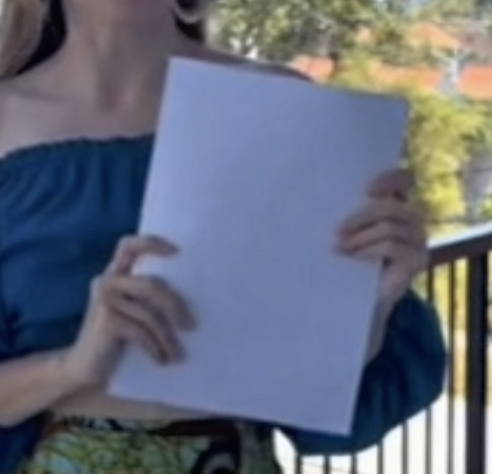
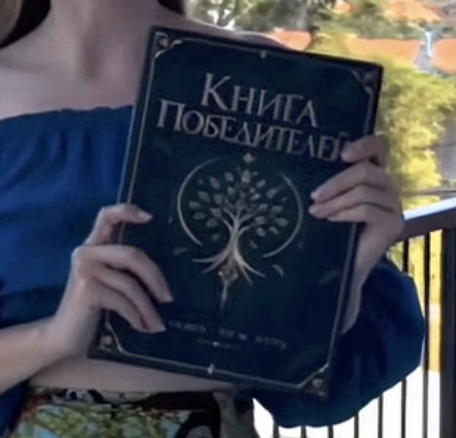
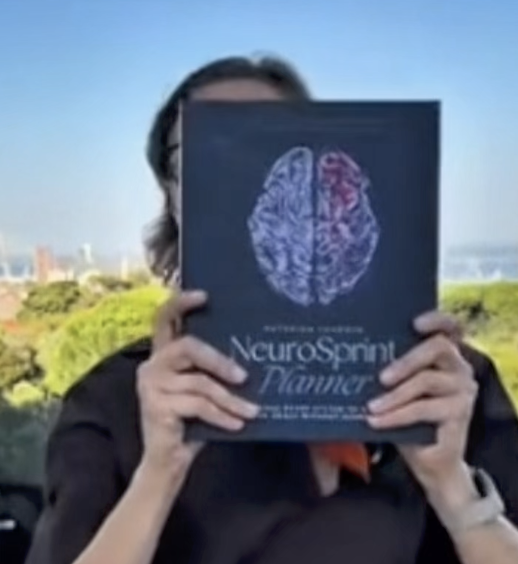
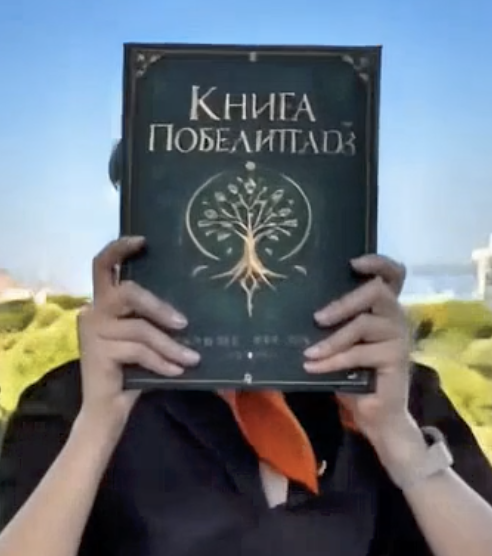
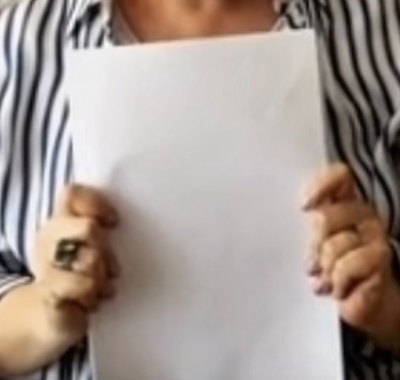
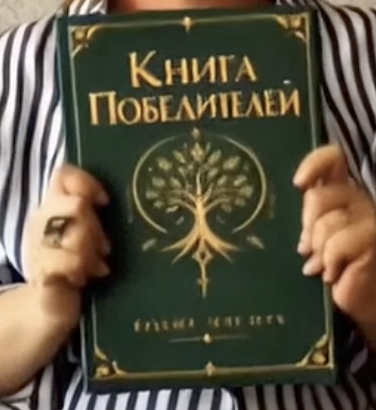
Our case was a 108-second montage in which more than ten people, each filmed separately, hold up a book, a card or a blank sheet of paper, and every one of them had to become the same green book. The prompt was explicit: replace every book and every white paper or card being held up with the green book from the reference, keep the hands in front, change nothing else.
Genjutsu swapped the books it recognised as books. One participant held a different green book, filmed mirrored by a selfie camera; it came back as our cover, the right way round, with the title, the tree emblem and both hands intact.
It left every blank sheet as a blank sheet, although the prompt named them, and it missed a blue book in a later segment. A model that finds the object from words decides for itself what counts as the object, and a sheet of paper did not.
We had to split the video into separate cuts and replace the objects one by one: a cut with a book, then cuts with blank sheets, each edited to show the green book we wanted.
Runway Aleph 2.0
Runway positions Aleph as the editor for real footage: replace a product or a character, remove an object, change the background or wardrobe, relight, add weather or effects, all from a text instruction. It takes the longest clips of the six, up to 30 seconds with as many as ten cuts, and has the clearest price: 28 credits per edited second in the app, with a 56-credit minimum, or $0.28 a second through the API. We have not run it.
Kling O1 Edit
Kling’s editor works from natural language with up to four references: tag a character as @Element1 and a style image as @Image1 in the instruction, and it keeps the original motion while swapping what you named. Clips are 3 to 10 seconds, and at $0.168 a second on fal ($0.126 for the Standard tier) it is the cheapest per second of the paid editors here. We have not run it either.
Evidence
- Date
- Vendor pages read 6 October 2026; the Genjutsu job ran in September 2026
- Basis
- Vendor pages for specifications and prices; observed output files for the Genjutsu job. Comparison frames supplied from the original montage and the finished edit
- Measured
- Which held objects Genjutsu replaced and which it left, on one 108-second montage
- Caveat
- One job with one prompt; Aleph and Kling O1 Edit not run by us. Faces are cropped out of the frames on purpose
Which one to reach for
- The object is flat and rigid — a book, a sign, a screen, a label: track its corners and pin the replacement on. No model, no redrawn hands, no per-second price.
- One object must change and everything else must stay pixel-exact — SwitchX, if the clip is 10 seconds or less and you can edit the first frame convincingly.
- A product, prop or outfit swap from reference photos — Genjutsu, then check every instance it should have caught.
- One object must be replaced, removed or added, and you would rather point than mask — Seedance 2.5 Editor.
- Real footage up to 30 seconds with a clear price per second — Aleph; for clips of 10 seconds or less where price matters, Kling O1 Edit.
- You are still exploring, or the change is the whole look — Omni Flash, with a few regenerations budgeted in; it is cheap enough that three tries cost less than one run of the others.
Whichever editor you use, crop any face in the shot at full size against the source before keeping the take. An edit that leaves the object right and the person slightly different has not saved the shot.
Sources
- SYNTX.AI Academy: “Selective video editing in Seedance”, “How to change individual elements in a video” (Beeble SwitchX) and “Simple Video Editing with Prompts” (Omni Flash)
- Higgsfield: Meet Genjutsu and the Genjutsu page
- Runway Aleph 2.0: features and pricing
- Kling O1 Edit on fal
One shot, the right tool
Most fixes do not need a new generation. easyai.video routes each correction to the cheapest tool that keeps the rest of the shot.
Join the waitlist ↗